Use this checklist before launching ED: Buy X Get Y & Free Gifts. Installation opens the app; a visible storefront promotion also needs a configured campaign and the appropriate theme connection.
1. Confirm app access
- In Shopify admin, open Apps and choose ED: Buy X Get Y & Free Gifts. If it is not installed, use its official Shopify App Store listing and complete Shopify’s installation flow.
- Confirm that your account can manage apps, products, discounts and the online-store theme needed for setup.
- Review the products and gift variants you plan to use. Check availability, inventory and the collections or other selectors used by the campaign.
2. Prepare the theme
- Record the published theme name. Test theme changes in a duplicate theme when practical, then apply the verified setup to the published theme.
- Open the theme editor and activate the app’s entry in App embeds. Save the theme.
- If you want an announcement bar below the header, check whether the appropriate app block can be added there. This is a different connection from the app embed.
- Return to Booster and review Storefront health. Resolve Action required before relying on that surface.
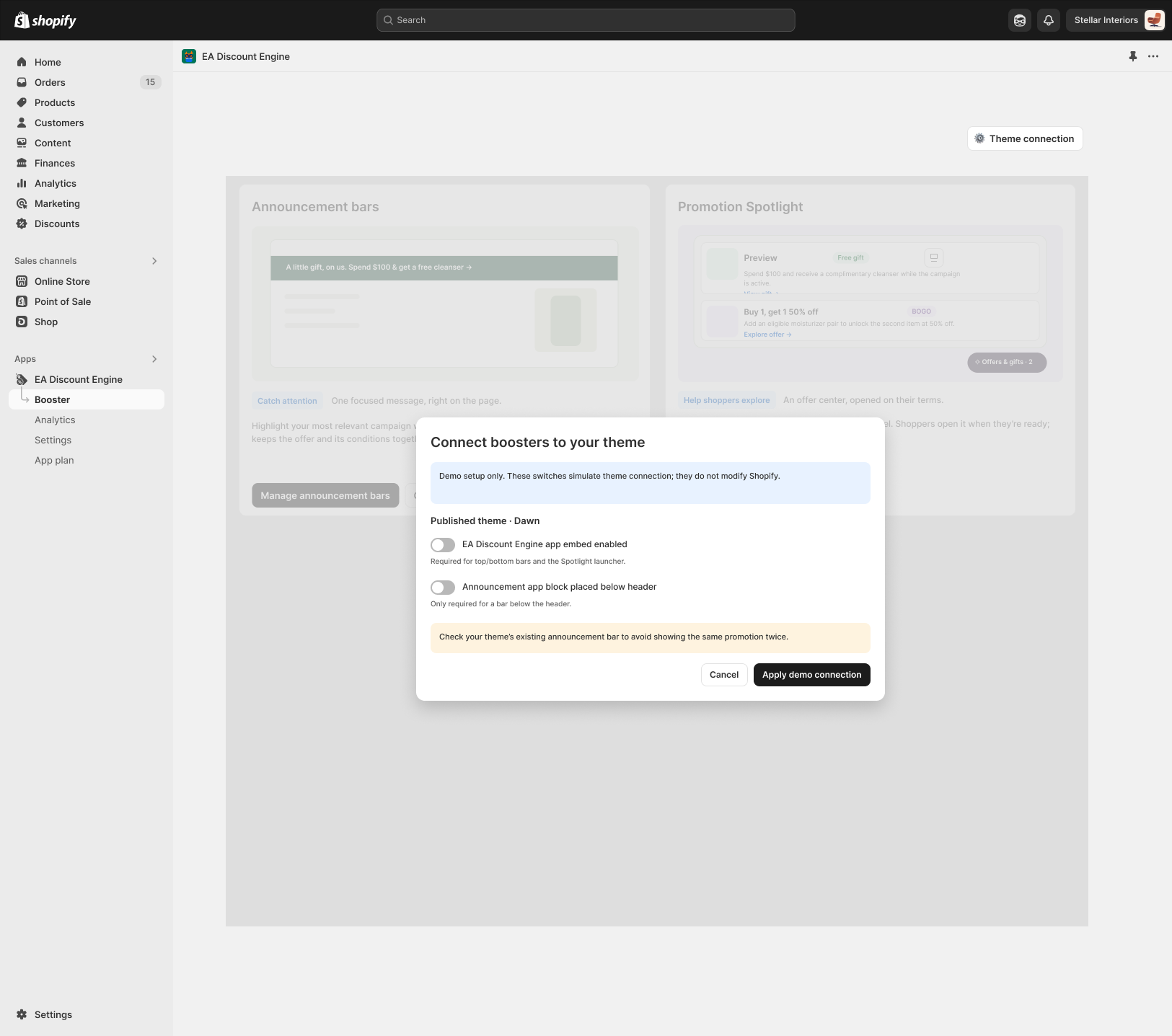
3. Create and verify a campaign
- Create a Draft campaign with a clear internal name, customer-facing title and schedule.
- Configure purchase conditions, rewards, eligibility, limits and discount combinations.
- Choose the display method and preview desktop and mobile. Save, then activate only when ready.
- Test an eligible cart, an ineligible cart and the exact threshold. Check the final checkout discount as well as storefront messaging.
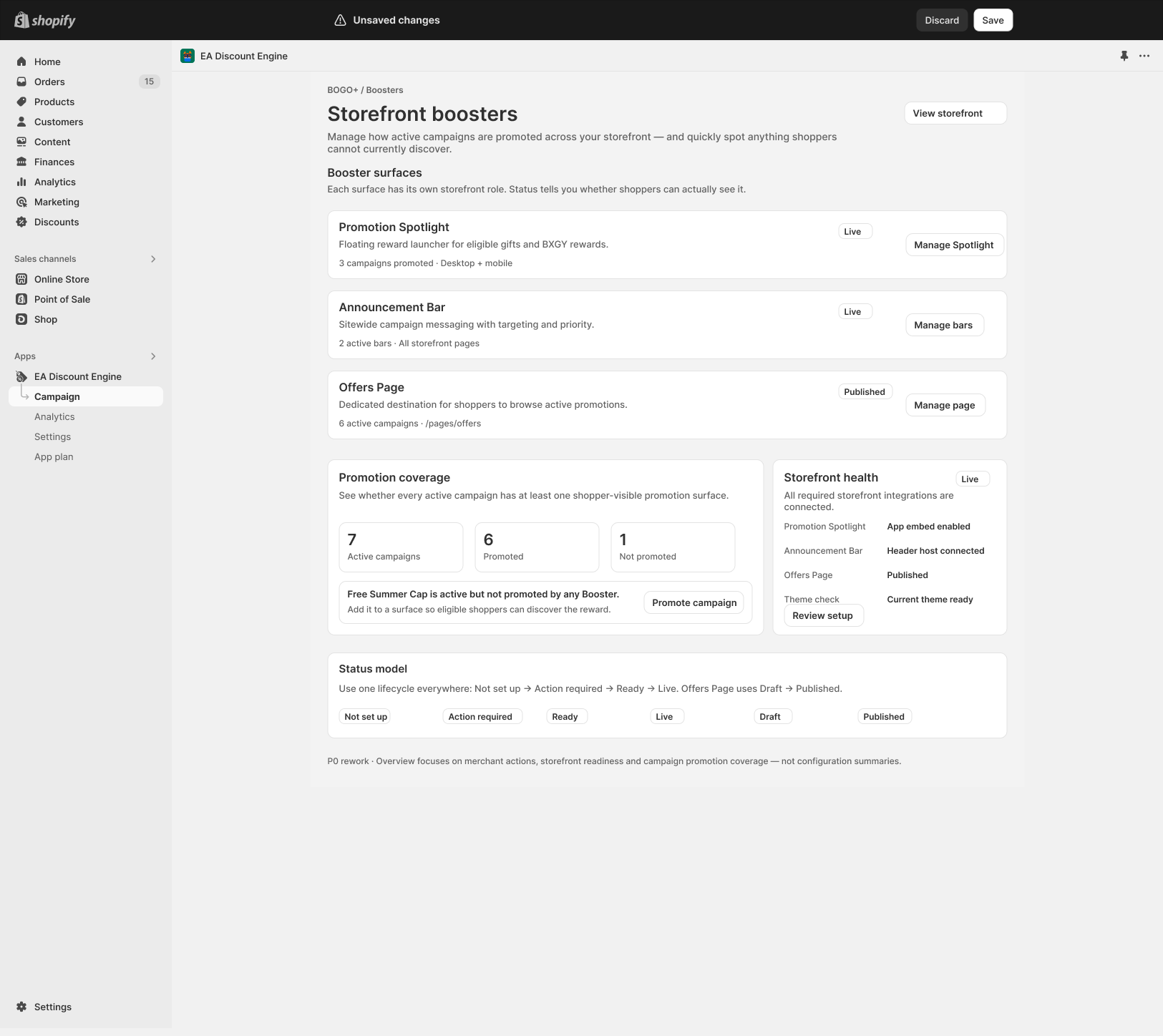
Launch checklist
- The correct published theme has been saved with the required embed or block.
- The campaign is Active and within its scheduled dates.
- Gift selection, cart updates and checkout discounts match the offer.
- Messages use the correct title, destinations and translated text where applicable.
- No competing announcement bars or cart integrations obscure the experience.
Shopify reference: Extend your theme with apps.
Illustrations are taken from the app design. Some screens use the legacy label “EA Discount Engine”; the app name is ED: Buy X Get Y & Free Gifts. Available controls can vary with the released version.
Related resources
Related guides: Set up your theme with Theme App Embeds and launch your first deal using the Quick Start Guide.