Create a Buy X Get Y or Buy X Get X campaign in ED: Buy X Get Y & Free Gifts. Define the purchase requirement first, then the rewarded items and their discount.
1. Enter campaign information
- Open the BOGO flow and choose Campaign setting.
- Enter Name for your team and Title for shoppers at cart and checkout.
- Keep Status Draft during setup. Choose Start time and, if needed, End time.
2. Define what the customer buys
- Select Minimum quantity of items or Minimum purchase amount. Enter the required quantity or amount.
- Choose the eligible item source. The design includes Specific products, Special product variants, Special collections, Product tags, types and vendors.
- Use Browse or the relevant selector to choose the actual eligible items. Review the selection rather than assuming all store products count.
3. Define the reward
- Choose BXGY (Difference items) for a separate gift, or BXGX (Same item) for a reward from the purchased items.
- Set the reward Quantity and select the reward products or variants.
- Choose Discount value. The design includes percentage, fixed amount, amount per item and free options. A Percentage of 100% makes the eligible reward free.
- Review Set max number uses per order, Exclude products already on sale and Compound discount when available. Compound discount also affects purchased items, so include it in your test.
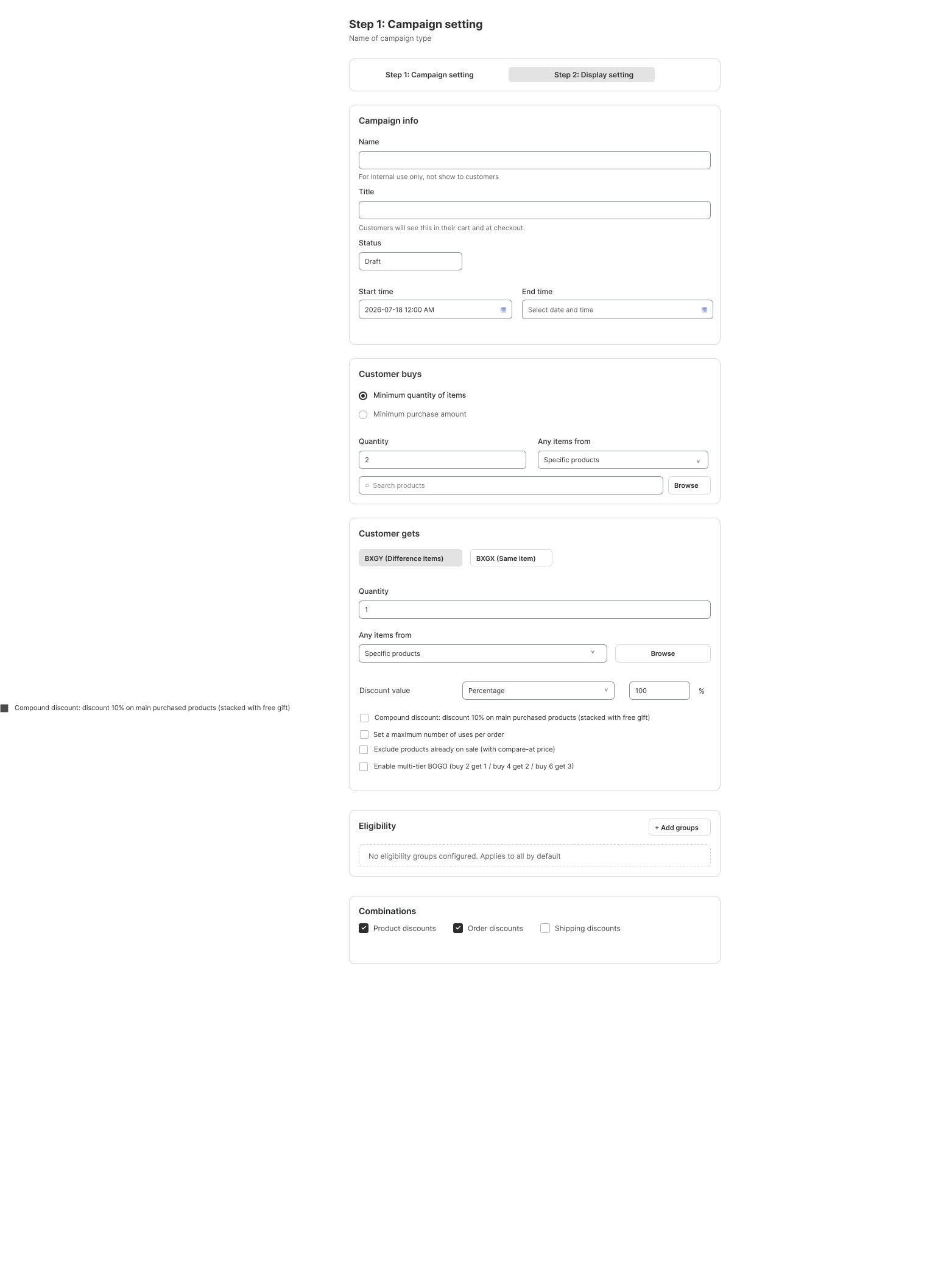
4. Configure eligibility and display
- Use Add groups for any customer or market restrictions. Match All (AND) requires every condition; Match Any (OR) allows any matching condition. Review how groups are joined.
- Choose the allowed Product, Order and Shipping discount combinations.
- Continue to Display setting. Select Automatically, Customer chooses, or Apply code to get gift as appropriate.
- For Customer chooses, select Pop-up, Floating button or Gift on Slide cart, then Edit widget. Preview both device sizes and save.
- Review the summary and activate when the schedule and settings are correct.
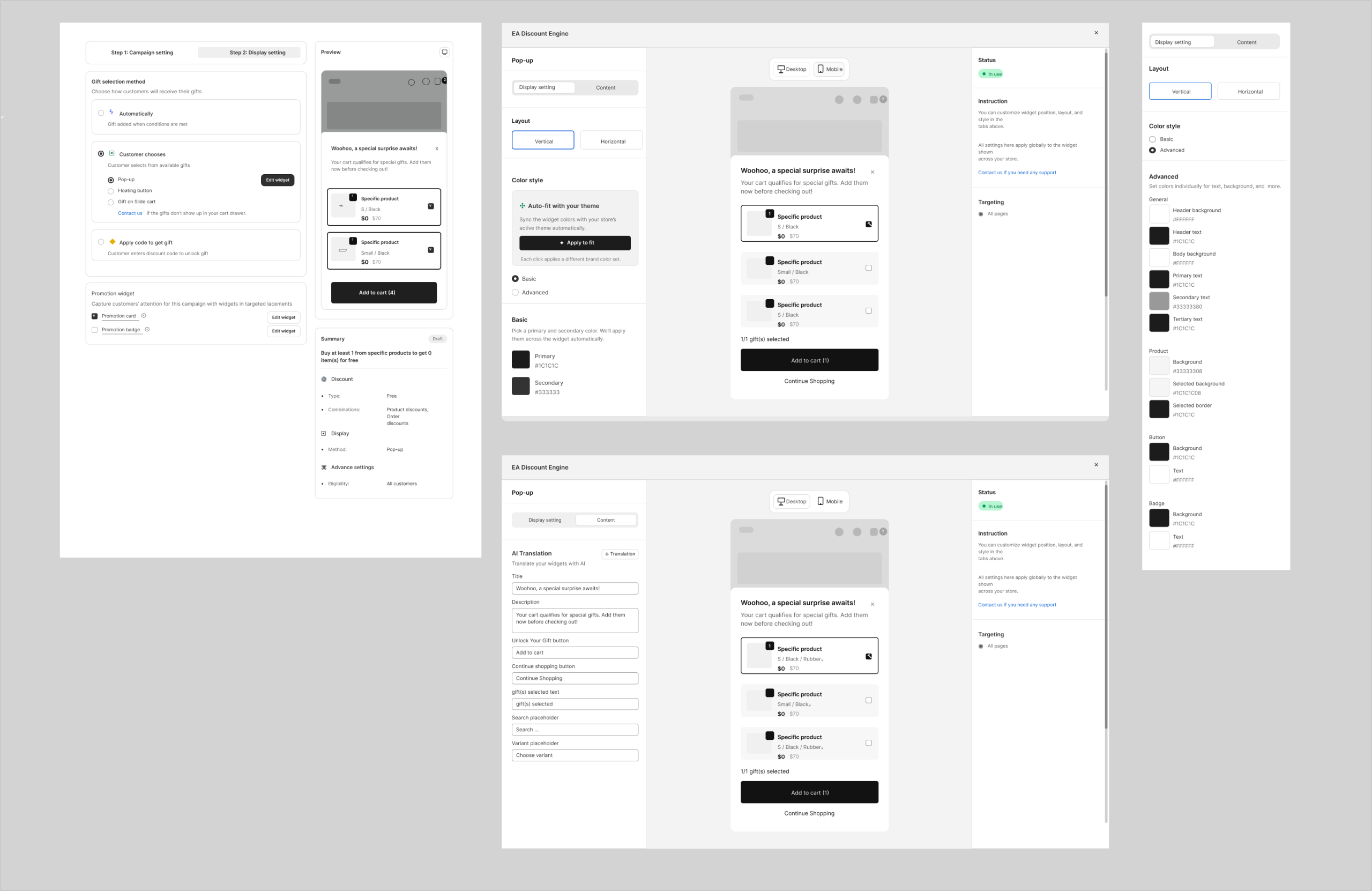
Worked example and checks
Buy 2 T-shirts, get 1 cap free: purchase quantity 2, selected T-shirts; BXGY reward quantity 1, selected cap; Percentage 100%. Test one T-shirt, two T-shirts, a wrong product, a sold-out gift variant and removal of a qualifying item. At checkout, confirm only the intended reward receives the free discount. If per-order limits are enabled, test quantities above the first qualifying set too.
Illustrations are taken from the app design. Some screens use the legacy label “EA Discount Engine”; the app name is ED: Buy X Get Y & Free Gifts. Available controls can vary with the released version.
Related resources
Related guides: Scale up to Tiered Volume Discounts or apply offers to entire catalog groups via Collection Discounts.