When running a free gift campaign in ED: Buy X Get Y & Free Gifts, you can choose how the reward item lands in the customer’s cart. The app supports two distinct fulfillment experiences: Automatic Injection (Auto-Add) and Customer-Choice Selection.
1. When to use Auto-Add Gifts
Auto-Add is the ideal choice when there is only one unambiguous free gift with no variant choices (e.g. one specific tote bag, sample bottle, or sticker pack). As soon as the customer adds qualifying items to their cart, the app seamlessly injects the free gift variant into their cart session without interrupting their browsing journey.
2. When to use Customer-Choice Rewards
Customer Choice is required whenever the free gift offer involves personalization or multiple options:
- The gift has variant options requiring customer input (such as Size, Color, or Style).
- The promotion offers a gift pool (e.g. “Choose any 1 free accessory from collection”).
- You want customers to consciously engage with and appreciate the reward value.
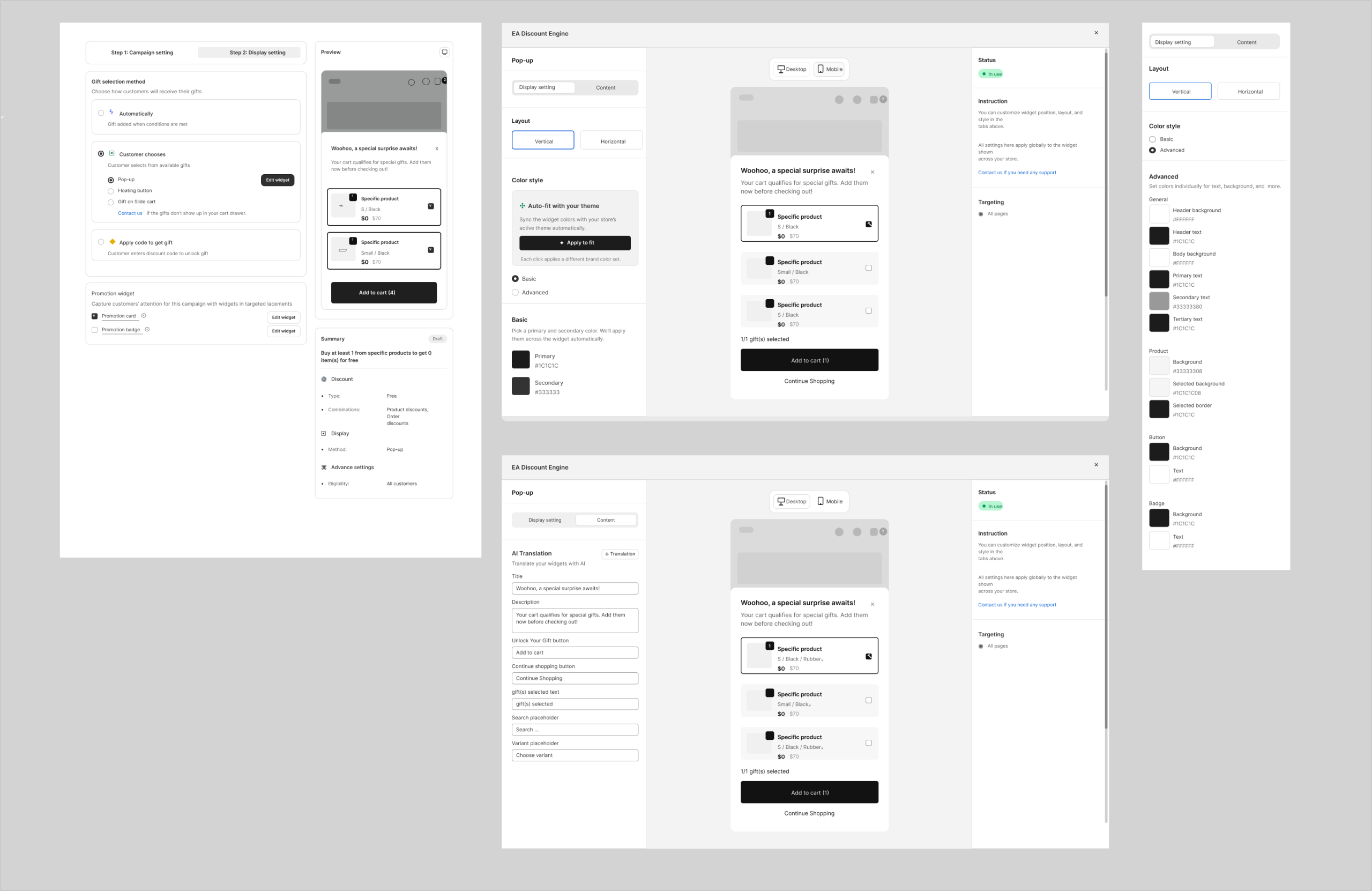
3. Configuring Gift Allocation in Campaign Settings
- In your campaign settings, navigate to Customer gets → Delivery mode.
- Select Auto-add to cart for zero-click automatic gifts.
- Select Customer chooses to enable interactive selection, and choose between the Gift Selection Modal or the Cart Drawer Widget.
- Configure Allocation Mode: choose Flexible mix (any combination of allowed gifts), Different gifts only, or Same gift only.
4. Checkout Clamping & Fraud Prevention
Our Shopify Function automatically validates every gift item at checkout. If a shopper attempts to manually increase the quantity of a free gift beyond their earned entitlement, the discount engine clamps the quantity and only applies the free discount to the eligible units.
Related resources
Related guides: Set up the pop-up selector with Gift Selection Modal or integrate rewards into your drawer with Cart Drawer Widget.
Note: Interface controls and screenshots are for reference and may vary slightly depending on your active Shopify theme and app version.