Connect ED: Buy X Get Y & Free Gifts to your online-store theme so shoppers can see the promotion surfaces you configure. An app embed and an app block serve different placements.
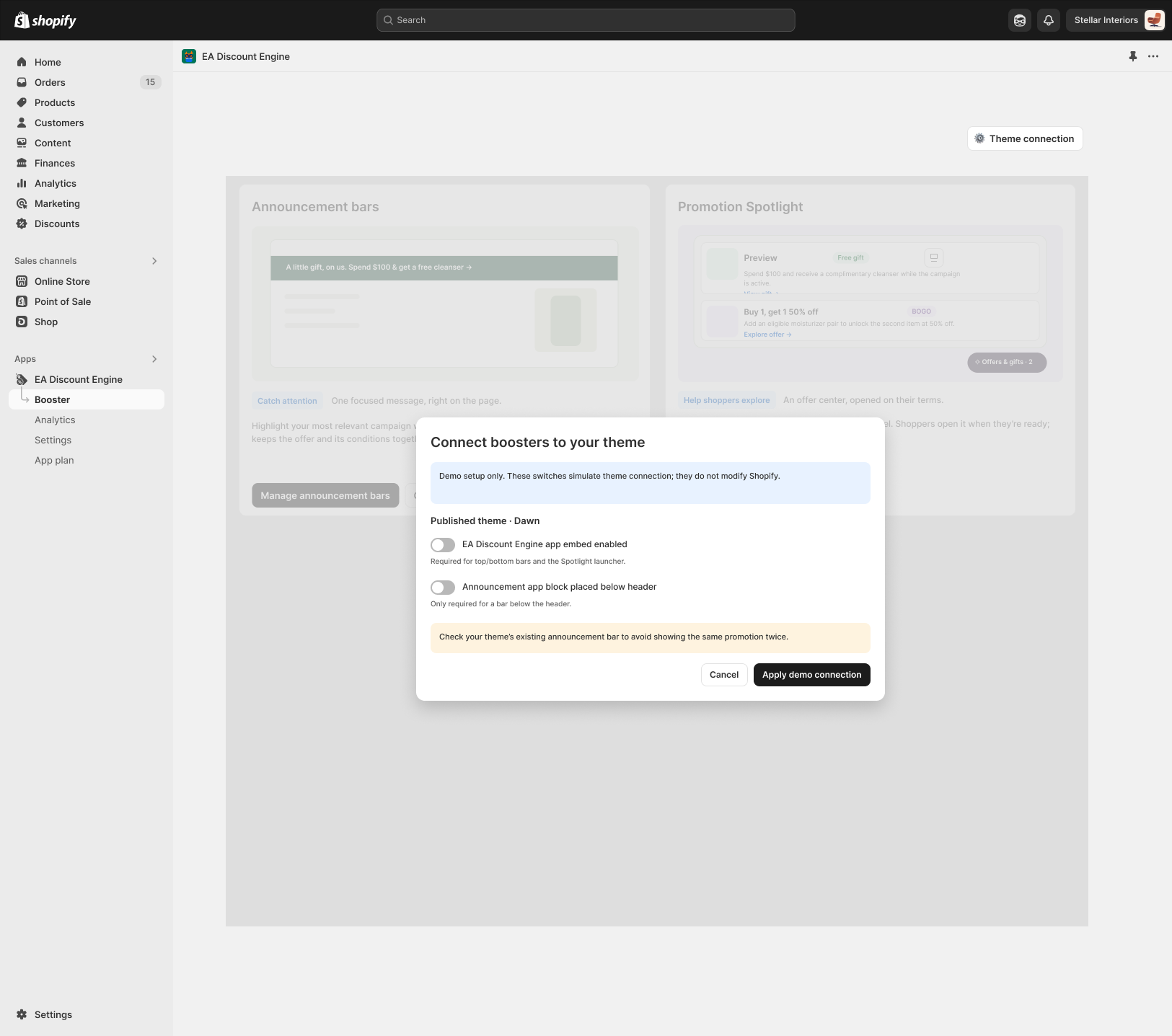
1. Activate the app embed
- In Shopify admin, go to Online Store → Themes and open the editor for the theme you intend to use. Confirm whether it is the published theme or a preview copy.
- Open App embeds in the editor. Find the entry belonging to ED: Buy X Get Y & Free Gifts and turn it on.
- Save the theme, then open a storefront preview. A saved connection does not by itself activate a campaign.
2. Add a block when the placement requires it
- For an announcement bar placed below the header, inspect the header area for an available app-block placement.
- Add the announcement block provided by the app where supported, and save. Top/bottom bars and the Spotlight launcher use the embed connection shown in the design.
- Check your theme’s existing announcement bar to avoid duplicate messages or overlapping placements.
3. Verify storefront health
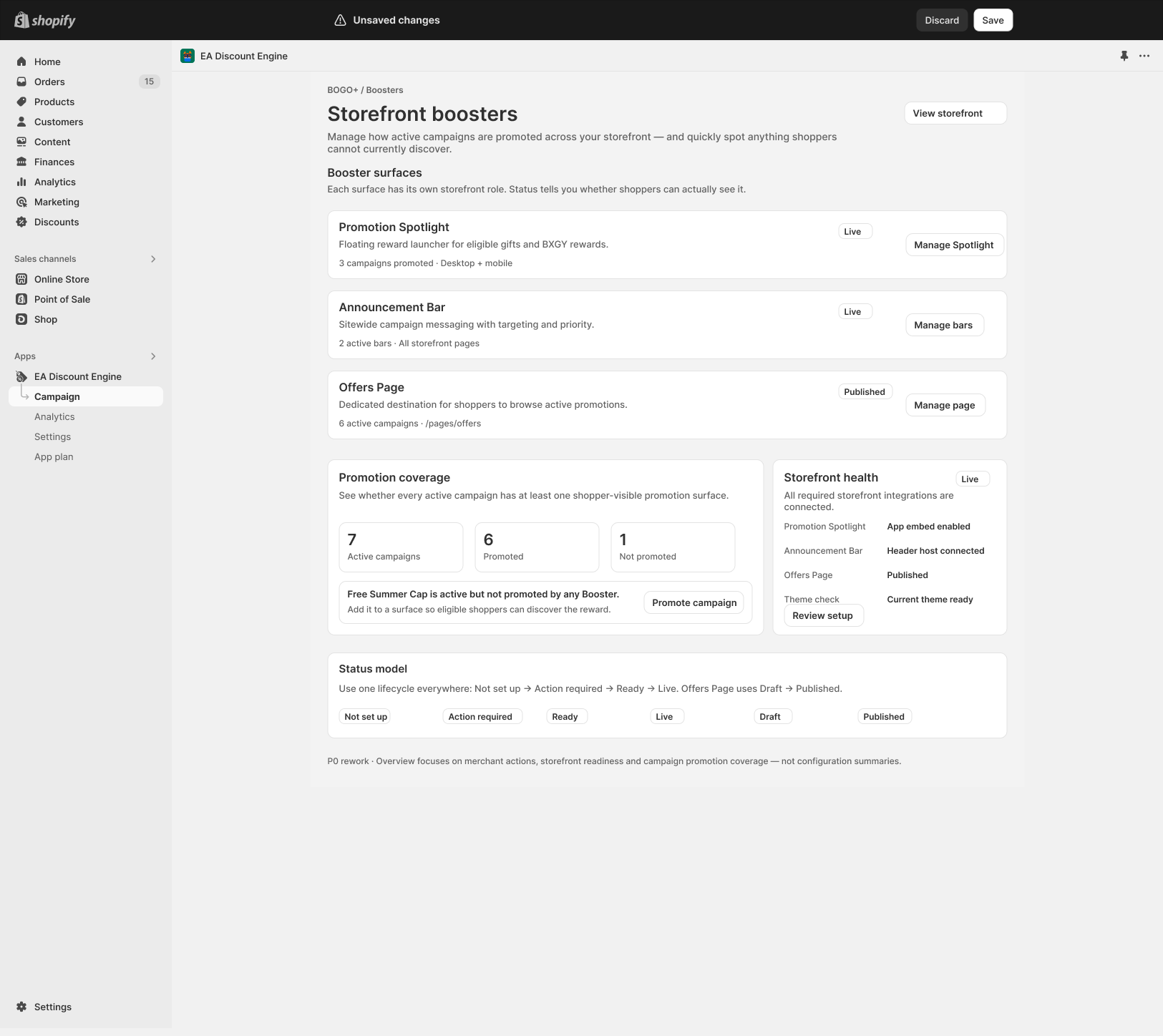
- Return to Booster and open Storefront health → Review setup. Check the reported embed and header-host connection for the surfaces you use.
- Confirm that your campaign is Active and promoted by a Booster. The design distinguishes Not set up, Action required, Ready and Live.
- Test on the published theme on desktop and mobile. After switching or publishing a different theme, repeat the connection check for that theme.
Troubleshooting
- Widget missing everywhere: confirm the saved embed belongs to the theme being viewed.
- Below-header bar missing: check its app block rather than only the embed.
- Campaign missing from an otherwise working surface: review promotion coverage, schedule, audience and targeting.
- Custom cart drawer: compare the cart page and drawer results and review the cart integration.
Shopify reference: App blocks and app embeds.
Illustrations are taken from the app design. Some screens use the legacy label “EA Discount Engine”; the app name is ED: Buy X Get Y & Free Gifts. Available controls can vary with the released version.
Related resources
Related guides: Follow the Quick Start Guide and review the pre-launch Installation Checklist.