If an offer from ED: Buy X Get Y & Free Gifts is visible but no discount appears, work through these checks. A message, a gift in the cart and an applied checkout discount are different results.
1. Reproduce in a clean cart
- Record the campaign, products/variants, quantities, customer, market and shipping destination used in the test.
- Remove old cart items and codes, then add only the intended qualifying items.
- Check cart and checkout separately. Record whether the issue is a missing widget, missing gift, incorrect amount or blocked combination.
2. Inspect campaign conditions
- Confirm the campaign is Active and within Start/End time. Check its time zone where shown.
- Compare Customer buys with the actual cart: quantity or subtotal, selected products/variants/collections and exclusions.
- Review Customer gets: reward quantity, selected variant and Discount value. A gift is free only when the configured discount makes it free.
- For Customer chooses, complete selection and Add to cart or Claim. For code activation, enter the correct code.
- Review eligibility groups, customer/market rules, usage caps and sale-product exclusions. For collection rules, check AND versus OR.
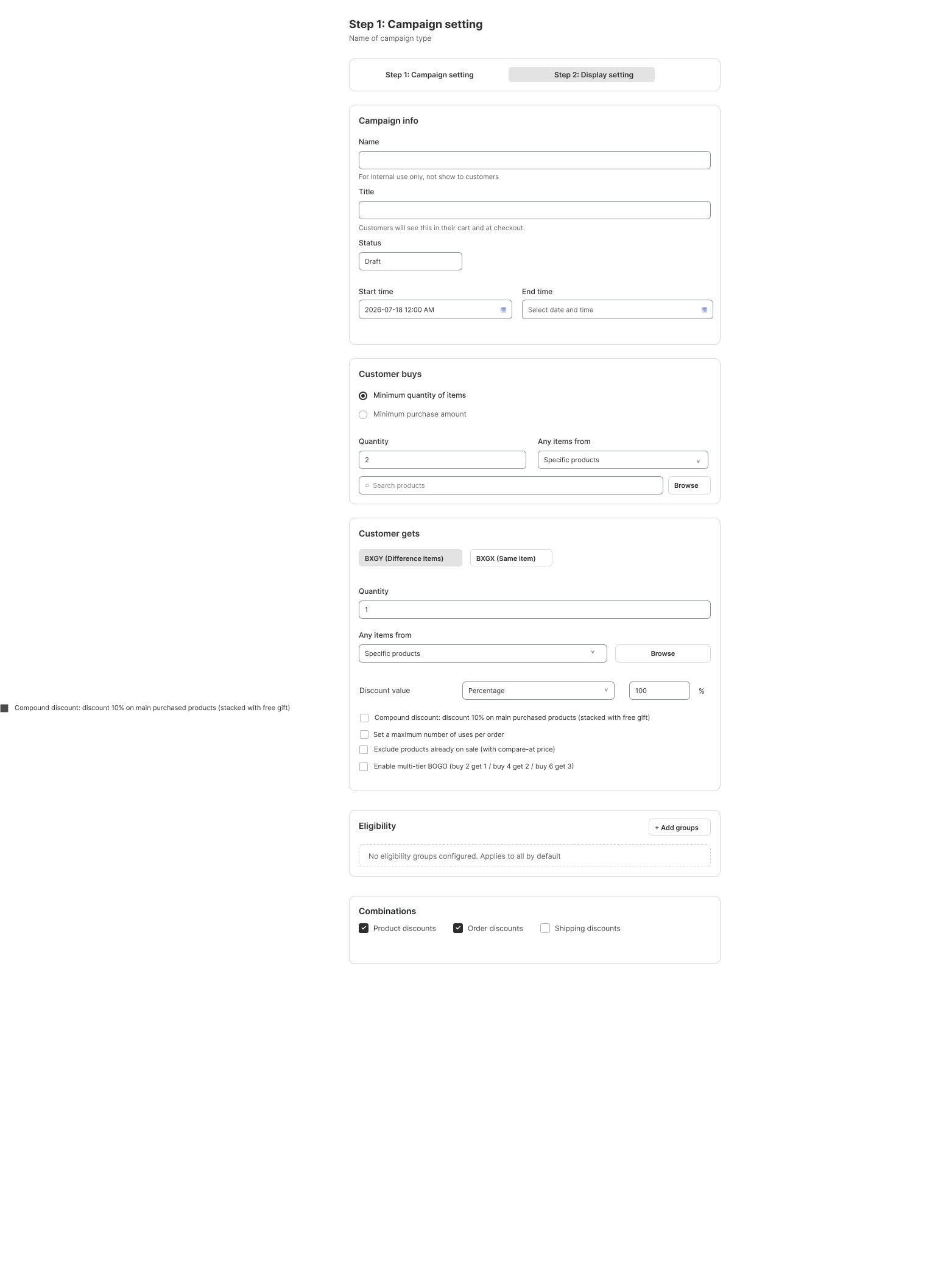
3. Check combinations
- Remove unrelated codes and retry.
- Review Combinations and restrictions on outside-campaign product, order or shipping discounts.
- For stacking, compare original-cart thresholds, global qualification and each card’s own condition.
- For shipping, check subtotal basis, eligible method/destination, rate restrictions and maximum-discount caps.
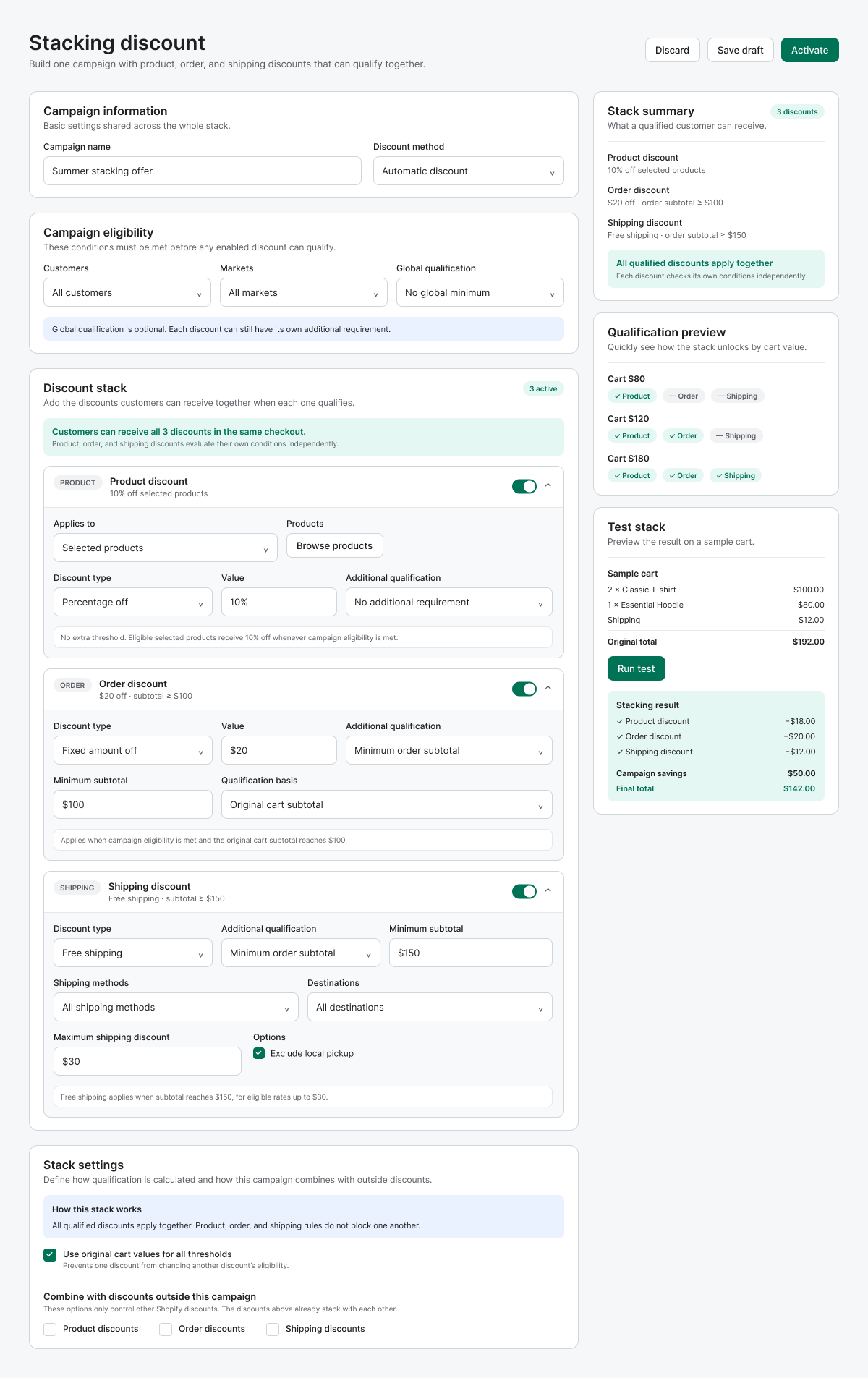
4. Check storefront-only issues
If checkout works but the widget is missing, review the published-theme embed, chosen display method and drawer compatibility. General settings include Display frequency and Show delay; these affect reminder appearance rather than reward calculation.
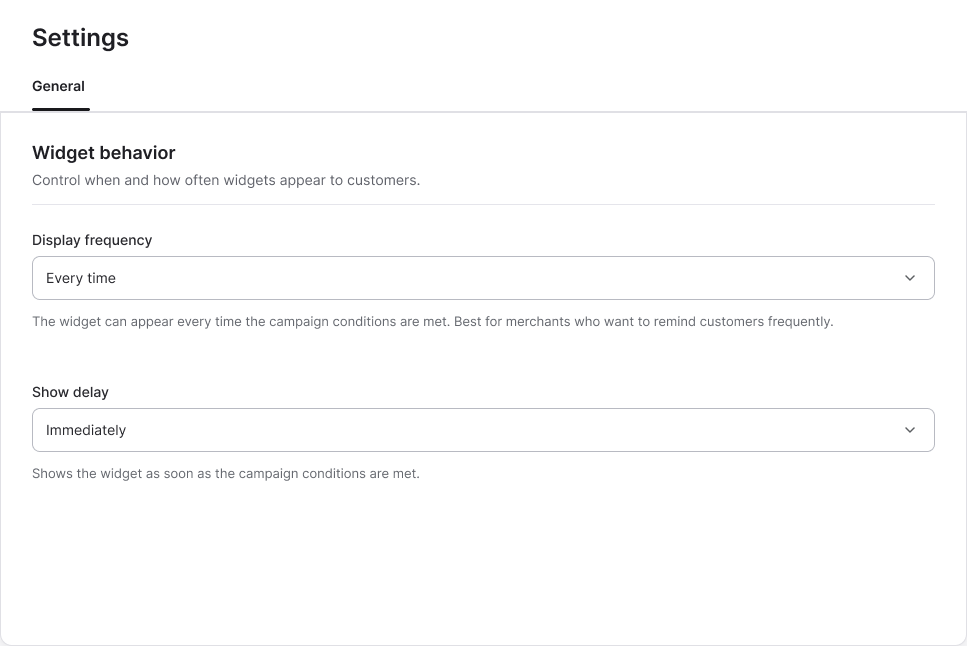
5. Retest and collect evidence
- Test just below and exactly at the threshold, then remove an eligible item.
- Compare desktop/mobile and full cart/cart drawer.
- Capture campaign settings and checkout discount lines.
- For support, include theme/cart-app names, steps and actual versus expected results. Use a sanitized test case without payment details.
Illustrations are taken from the app design. Some screens use the legacy label “EA Discount Engine”; the app name is ED: Buy X Get Y & Free Gifts. Available controls can vary with the released version.
Related resources
Related guides: Review Discount Combination Rules, check Third-party cart conflicts, or verify Theme App Embeds.