A third-party cart app can change how a drawer opens or refreshes. If an ED: Buy X Get Y & Free Gifts reward works at checkout but the drawer widget is missing or stale, isolate the storefront integration.
1. Compare the three surfaces
- Use a simple active campaign with known qualifying products and one reward.
- Test the same cart in the full cart page, cart drawer and checkout.
- Record where it fails: discount, gift item or widget update after a quantity change.
- Record the theme name/version and third-party cart app name.
2. Verify the intended widget
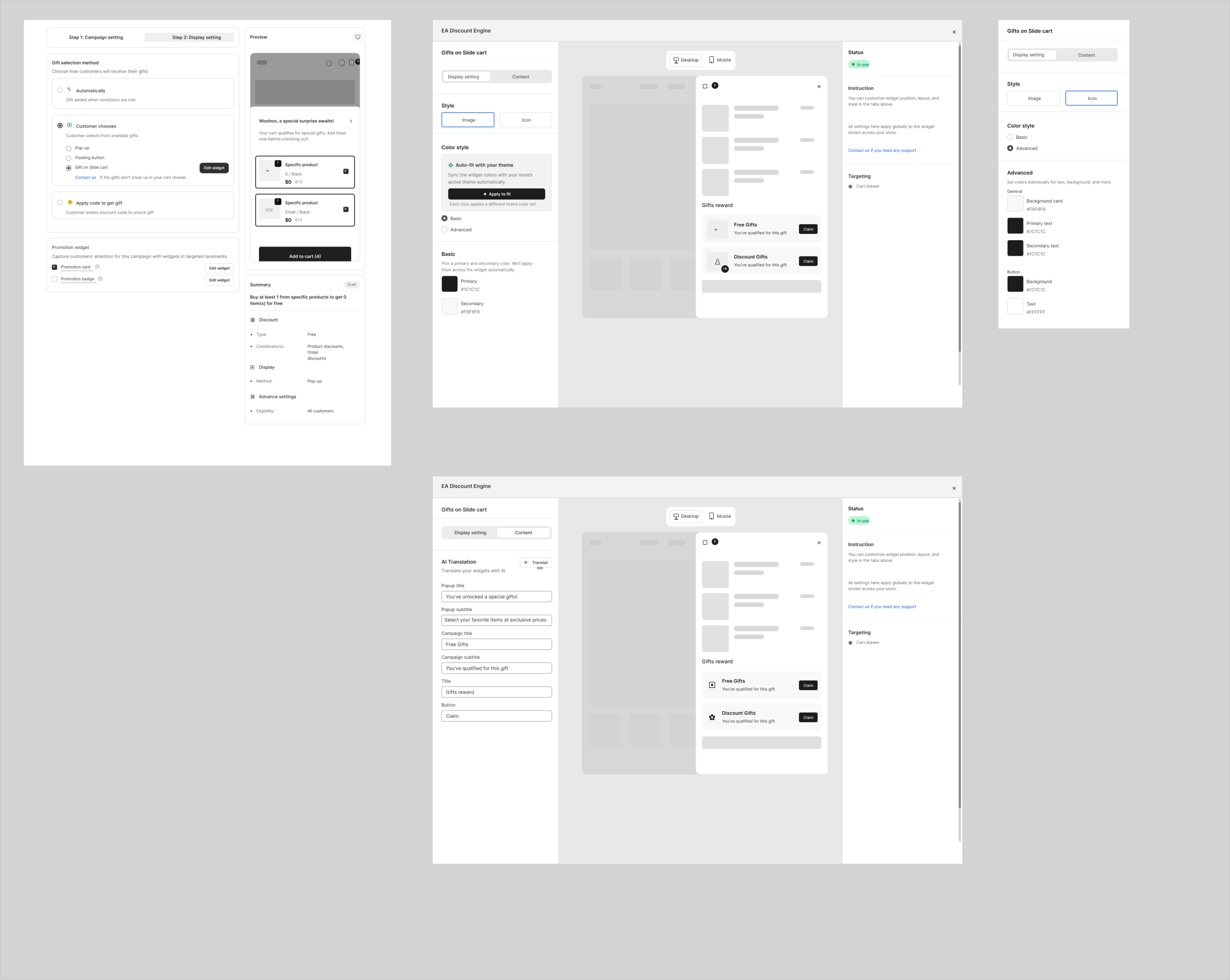
- In Display setting, choose Customer chooses → Gift on Slide cart for customer-choice drawer gifts.
- Open Edit widget and confirm Targeting: Cart drawer. Save widget and campaign settings.
- Confirm the app embed is enabled and saved for the actual theme being tested.
- Reach the threshold, select a gift variant and use Claim.
3. Isolate conflicting behavior
- Use a duplicate theme or controlled preview for integration changes.
- Temporarily disable the competing drawer integration in that test setup using its normal controls. Change one setting at a time.
- Compare with the theme’s native cart. If native cart works but the third-party drawer fails, record that difference.
- Restore the other app’s settings after testing. Avoid deleting code or changing production checkout to diagnose a widget.
4. Test cart updates
- Add qualifying items and open the drawer.
- Change quantities without a full reload.
- Choose a gift variant and claim it.
- Remove an eligible item and check reward recalculation.
- Close/reopen, refresh and repeat on mobile.
- Look for overlapping launchers, overlays or duplicate bars.
5. Request integration help
The drawer design includes a support path for custom-cart issues. Send theme/cart-app details, exact steps and screenshots or a recording. State whether native-cart and checkout tests pass. Until the drawer is verified, test an available Pop-up or cart-page flow before advertising it as an alternative.
Illustrations are taken from the app design. Some screens use the legacy label “EA Discount Engine”; the app name is ED: Buy X Get Y & Free Gifts. Available controls can vary with the released version.
Related resources
Related guides: Check our Cart Drawer Widget setup and the Discounts not applying checklist.