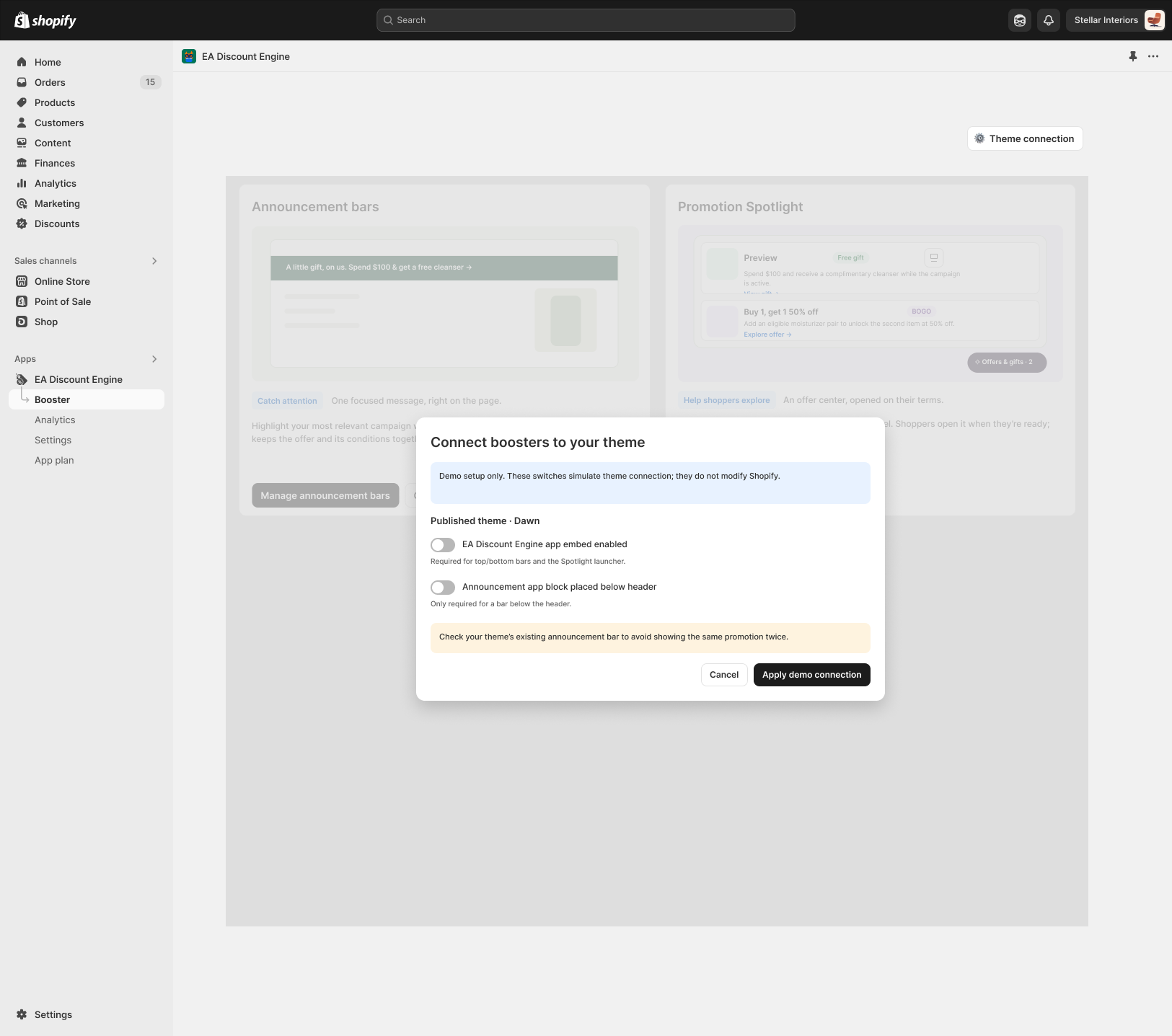
Use this checklist when removing ED: Buy X Get Y & Free Gifts. The illustration identifies storefront connections to review; uninstalling happens in Shopify admin.
1. Prepare for removal
- Record campaign settings, schedules, widget text and integrations you may need later. Save available exports or screenshots.
- Pause or deactivate campaigns using their normal status controls. Verify that stopped offers are no longer advertised.
- Update store banners and links that promise the app’s rewards.
- Review any independent external subscription. Uninstalling does not necessarily cancel services billed outside Shopify.
2. Review theme connections
- Open the theme editor. Turn off the app embed and remove its app blocks from relevant placements, then save.
- Check other themes you may publish later, including integration-test copies.
- The design identifies an embed for top/bottom bars and Spotlight, and a block for below-header announcements. Use these as a checklist rather than the demo switches.
3. Uninstall in Shopify
- Open Settings → Apps in Shopify admin, locate ED: Buy X Get Y & Free Gifts and open its app actions.
- Choose Uninstall, review Shopify’s confirmation and complete removal when ready.
- Confirm removal in the app list. Review billing and any externally billed services separately.
4. Verify cleanup
- Open a fresh storefront session and check product pages, cart page, drawer and announcements on desktop/mobile.
- Build a fresh cart and check checkout for unwanted remaining discounts or obsolete messages.
- For a previously added manual integration, consult its installation notes. Back up the theme before code cleanup and ask the developer to identify exact app-owned code.
- Do not delete code solely because its name looks similar. Collect theme details, affected page and screenshots if leftovers remain.
Shopify references
Uninstalling apps covers removal and additional cleanup checks. Extend your theme with apps covers blocks and embeds.
Illustrations are taken from the app design. Some screens use the legacy label “EA Discount Engine”; the app name is ED: Buy X Get Y & Free Gifts. Available controls can vary with the released version.
Related resources
Related guides: See the Theme App Embeds guide to manage theme connections, or review the Installation Checklist.